Discoverer 4i Plus Online Help
Release 4.1


Contents

Index

Looking at a Workbook's Properties

A workbook's properties provide basic information about the workbook.

To see a workbook's properties:

  1. Open the workbook.

  2. Choose File | Manage Workbooks | Properties.

    The Workbook Properties dialog box appears showing information about the Workbook. You can record additional information about the workbook in the Description box.
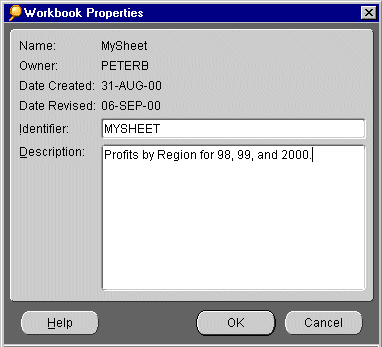


NOTE: Identifiers are unique names that Discoverer uses to identify EUL and Workbook elements, (e.g. Business Areas, Folders, Items etc.). The default Identifier value is generated automatically by Discoverer.
Do not change Identifiers except under the following circumstances:

- The Identifier must be changed to comply with strict naming conventions.

- An element has been deleted and needs to be recreated with the same Identifier.

If you do change an Identifier, you must update matching identifiers in other EULs to reflect the change. 


  1. Click OK to close the Workbook Properties dialog box.


Oracle
Copyright © 2000 Oracle Corporation.

All Rights Reserved.

Contents

Index
