Release 4.1
 Contents |
 Index |
| Discoverer 4i Plus Online Help Release 4.1 |
|
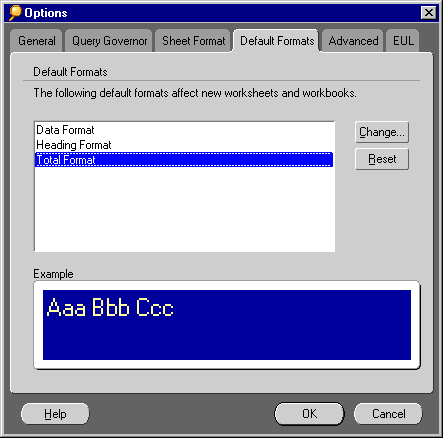
The Default Format options are for setting the font style, text color and background color of a worksheet's data, column headings, and totals.
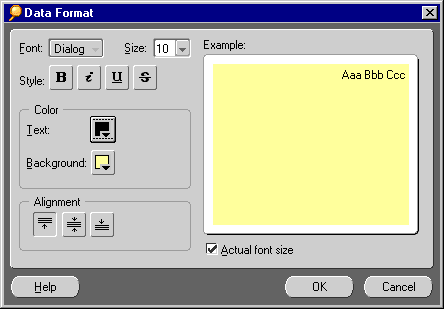
Size--Choose a size for the font from the drop-down list.
Style--Click a button to display the text in a boldface, italic, underline, or strikethrough. Click the appropriate button to remove the style if it is already in effect.
Color--Click the button to apply a color to either the text or the background. A palette of colors appears. Click the one you want.
Alignment--Click an alignment option. The options display the data in the top, middle or bottom of the appropriate cell on the table or crosstab.
Actual font size--Select this option to display the data in the sample in the font size that you choose from the size drop-down list.
See also:
Setting Query Governor Options
Setting Sheet Format Options
Setting General Options
Setting Advanced Options
Setting EUL Options
Using SQL
Sometimes, after changing several aspects of a format you want to change it back to the original Discoverer default settings. Instead of changing each format setting individually, you can click the Reset button.
|
|
 Copyright © 2000 Oracle Corporation. All Rights Reserved. |
|